Next.js and Django are a strong pair for many web products, but they should be used for the right reasons. The split is useful when the product needs both a polished public interface and serious backend logic. It is less useful when a simple website would be enough.
When this stack is a good fit
This setup works well for SaaS products, directories, marketplaces, content platforms, dashboards, and tools with accounts, permissions, payments, or heavy data logic.
Next.js handles the public interface, routing, and user experience. Django handles data, admin tools, authentication logic, background tasks, and API behavior.
The pairing is especially useful when the product has public SEO pages and private app screens at the same time.
- Directories with many public pages, filters, and admin moderation.
- SaaS tools with accounts, billing, dashboards, and background jobs.
- Content platforms with editorial workflows and custom public layouts.
- Marketplaces with listings, user roles, payments, and review queues.
- AI products with generated data, admin review, and long-running tasks.
Why not keep everything in one app
A single app can be enough for a small website. The split becomes useful when the frontend needs speed and flexibility while the backend needs a stable admin and business logic layer.
The price of the split is extra setup. The benefit is cleaner ownership of frontend and backend concerns.
The decision should be based on product needs, not fashion. A brochure website does not need the same architecture as a platform with accounts, payments, content operations, and background tasks.
- Use one app when the site is mostly static, small, and easy to update.
- Use a split when the public interface and backend rules will grow in different directions.
- Use Django alone when the admin and data workflows matter more than a custom frontend.
- Use Next.js alone when the product is mainly a marketing site or content site with simple data needs.
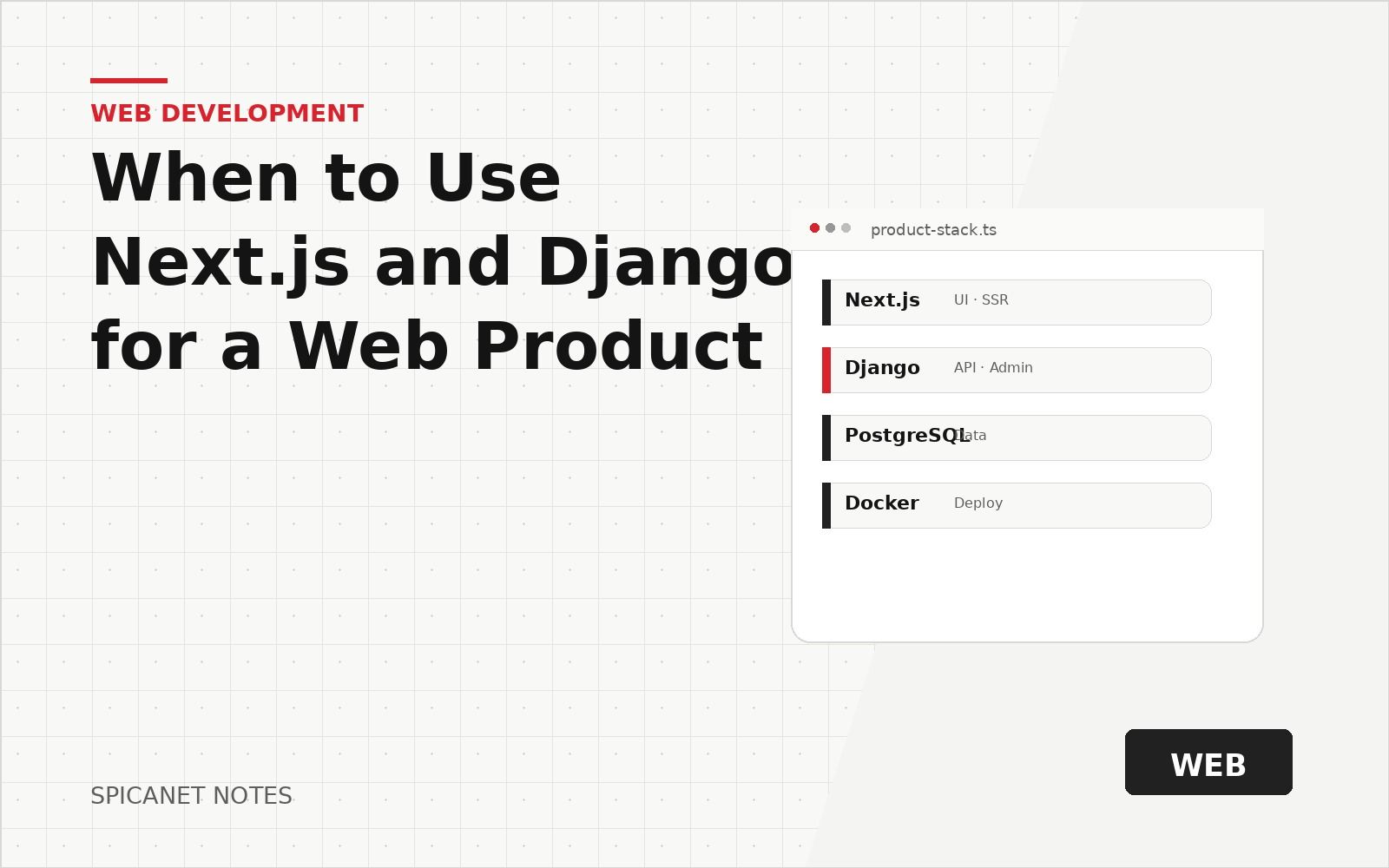
A common layout for a product with public pages and private tools.
- Next.js UI
- REST API
- Django backend
- PostgreSQL
- Background jobs
What Next.js should own
Next.js should own the user-facing product experience: public pages, private app screens, routing, loading states, forms, error boundaries, and interface behavior.
It is a good choice when the product needs strong SEO pages, fast navigation, reusable interface sections, and a modern development workflow for the frontend.
- Public landing pages and SEO content.
- Product app screens and dashboards.
- Client-side interactions, forms, filters, and previews.
- Image presentation, Open Graph pages, and public metadata.
- Frontend validation and user-friendly error states.
What Django should own
Django should own the data and business rules. This includes permissions, models, transactions, admin tools, long-running jobs, API rules, email actions, payments, and audit trails.
Django is also useful when the team needs a reliable admin panel early. Many products can operate faster because Django admin or a custom admin panel gives the team control over real data.
- Database models, validation, and permissions.
- Authentication rules, sessions, tokens, and account status.
- Payments, subscriptions, invoices, and provider callbacks.
- Background tasks such as emails, imports, reports, and media processing.
- Admin screens, moderation queues, audit logs, and support tools.
Define the API contract early
A split stack works best when the frontend and backend agree on request shapes, response shapes, errors, and status codes. Without an API contract, both sides can slow each other down.
The API contract does not need to be huge for the first release. It needs to be clear enough that forms, lists, details, and error states can be built without guessing.
- List endpoints for the main user path first.
- Define success responses and error responses.
- Use stable names for fields shared between frontend and backend.
- Include pagination, filtering, and sorting rules for list pages.
- Return readable validation errors that can be shown near form fields.
# Next.js (public / browser-safe)
NEXT_PUBLIC_API_URL=https://api.example.com

# Django
DJANGO_ALLOWED_HOSTS=api.example.com
CORS_ALLOWED_ORIGINS=https://app.example.com
The split is worth it when the frontend needs product flexibility and the backend needs strong rules, jobs, and admin control.
Plan authentication and security as one system
Authentication is one of the first areas where a split stack can become messy. The team should decide early how login, registration, password reset, social login, cookies, tokens, CSRF protection, and logout will work.
The frontend should not invent security rules. The backend should own final permission checks, while the frontend provides clear states and helpful messages.
- Use backend permission checks for every private resource.
- Keep token or cookie rules consistent across domains.
- Handle expired sessions with a clear user path.
- Test login, logout, refresh, password reset, and email confirmation in production mode.
- Never trust hidden frontend controls as security.
Use background jobs for work that should not block users
Many products need actions that take longer than a normal request: sending email, importing files, generating reports, processing images, calling external APIs, or creating AI-generated content.
Django with a worker queue can move this work away from the user's request and show clear job status in the interface.
- Upload starts quickly and processing continues in the background.
- The frontend shows pending, processing, done, and failed states.
- The backend records job status and error details.
- Admins can retry failed jobs or inspect problems.
- Long tasks do not cause browser timeouts.
Use the stack well for content and SEO
Next.js is often chosen for public pages because it can produce fast, search-friendly pages and polished layouts. Django can provide structured content, editorial workflows, media records, and publishing rules.
This pairing works well for content projects when the public site needs custom design and the admin side needs strong editing control.
- Django stores posts, categories, authors, media, and publishing states.
- Next.js renders public pages, tag pages, directories, and landing pages.
- The backend controls drafts, scheduled publishing, and permissions.
- The frontend controls metadata, structured layout, search pages, and user experience.
Plan deployment and environments early
A split product has more moving parts: frontend build, backend server, database, worker, cache, storage, domain settings, SSL, and environment variables. This is manageable, but it should be planned before launch week.
The team should define local, staging, and production environments. Each environment should have clear variables, domains, database access, and deployment steps.
- Frontend and backend should have separate deployment steps or a clear combined pipeline.
- API URLs, cookie domains, and redirect URLs must match each environment.
- Workers and scheduled tasks need production supervision.
- Static files, media files, and generated assets need a reliable storage plan.
- Rollback should be possible for both frontend and backend changes.
| Layer | Typical owner | Examples |
|---|---|---|
| Public UI and routing | Next.js | Marketing pages, app shell, loading and error UX |
| Business rules and persistence | Django | Models, permissions, transactions, admin |
| Long-running work | Django workers | Email, imports, media, external APIs |
When this stack may be too much
For a very small landing page, a portfolio, or a simple brochure website, this setup may be heavier than needed.
Good technical choices match the product stage. A smaller stack is often better when the product is only a static site or a short marketing test.
The stack also may be too much when the team has no plan to maintain backend services, worker queues, database backups, and deployment pipelines.
- Single landing page with no private app.
- Temporary marketing test with a form and analytics only.
- Small documentation site that can be static.
- Project with no admin work, no accounts, no payments, and no custom backend logic.
- The product has public pages that benefit from a polished frontend.
- The backend has real business rules, not only static content.
- Accounts, permissions, payments, or admin workflows are needed.
- The team can maintain a separate frontend and backend.
- The API contract can be written before major frontend work starts.
- Background jobs or scheduled tasks may be needed soon.
- Deployment, backups, logs, and monitoring are part of the plan.
- A smaller stack was considered and rejected for clear reasons.